Wilson Module
AI-powered module that automates the procurement process for logistic coordinators.
Responsibilities
- Sole designer leading end-to-end design across research, systems thinking, and final UI
- Embedded with the freight ops team for a week to learn the job firsthand
- Mapped the full procurement journey to define where AI hands off to humans and back
- Collaborated with engineering to understand AI agent architecture and shape design constraints
- Audited existing UX issues across internal and customer-facing flows, then shipped high-fidelity screens
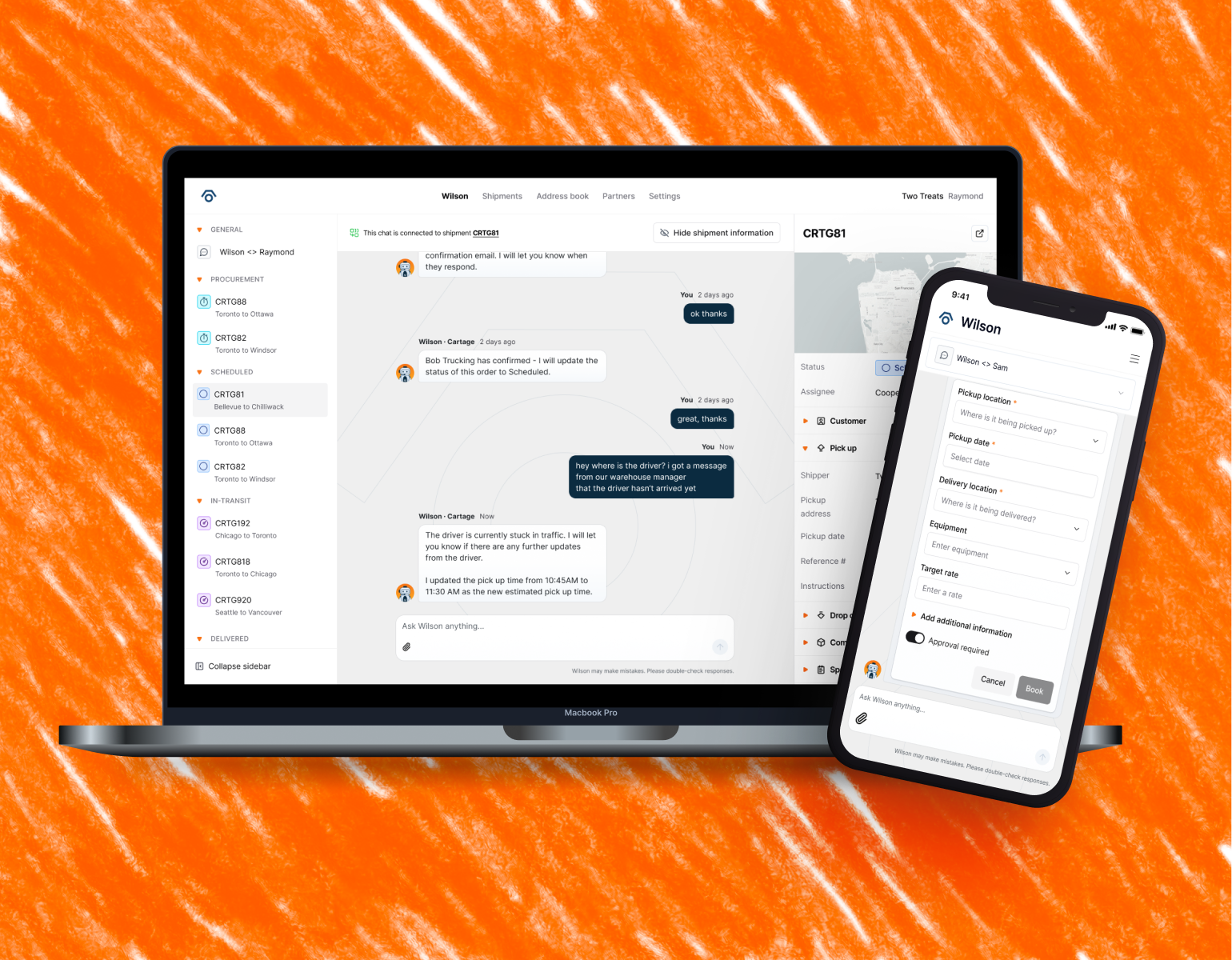
Overview
Cartage AI is a startup building software that uses AI to help logistics companies move freight more smoothly. At its core is Wilson — an AI assistant that answers customers' questions, and helps them create shipments through a simple chat interface, a bit like texting a very knowledgeable colleague. But there was a catch.
While customers had a slick, modern experience on their end, everything behind the scenes still depended on a small freight ops team doing things manually. Every time a carrier needed to be contacted, a pickup needed confirming, or a customer needed an update — a human was doing that work one email at a time. The question we set out to answer: could we design an experience that let Wilson take on more of that work, so the freight ops team could focus on the things that actually needed a human?
I was the sole designer on this project, responsible for the full design process — from embedding with the freight ops team to understand the workflow, mapping the procurement journey, defining human-in-the-loop interactions, and shipping the final UI.
Problem
The customer-facing side of Wilson was working well. But the internal side of the house — the freight ops team — was still buried in repetitive tasks: sourcing carriers, sending emails, chasing confirmations, and manually sending updates to customers.
We needed to design a module that would let the freight ops team work alongside an AI system — not be replaced by it, but genuinely supported by it. The human would still be in the loop for things that mattered. Wilson would handle everything else.
Research
I became a freight coordinator for a week
The best way to understand what the freight ops team did was to do it myself. I stepped into the role of freight coordinator for a week and managed three live shipments end-to-end.
Communication ran almost entirely through email — long threads, lots of back-and-forth just to confirm basic details. Experienced coordinators carried a lot of knowledge in their heads that never lived in the system. And finding a specific shipment was harder than it needed to be.
Doing the actual work gave me an understanding that no amount of observation alone would have.

Mapping out the procurement journey
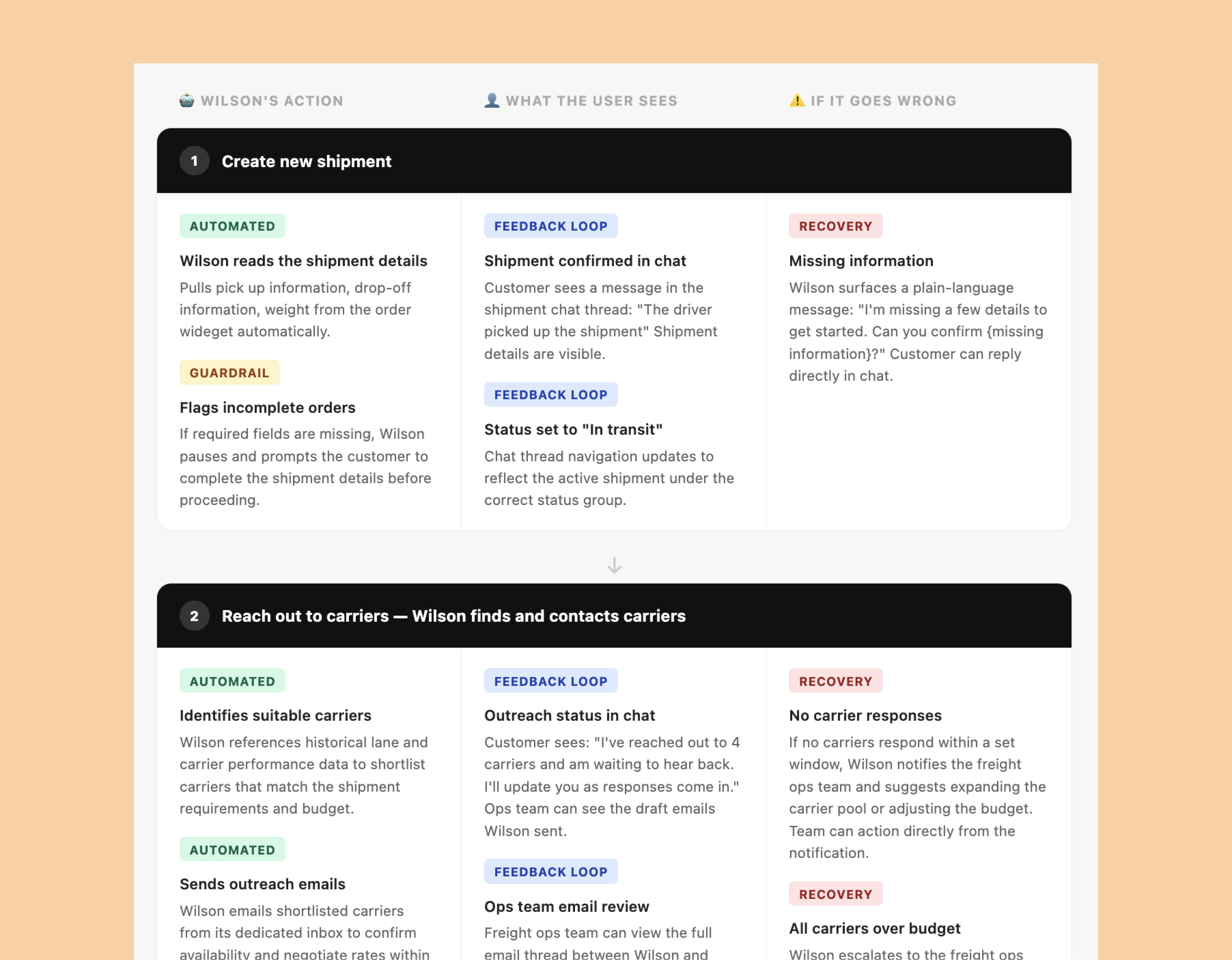
After that week, I mapped out every step involved in procuring a shipment — from the moment a customer creates one, all the way through to delivery. Then I went through that map and asked: which of these steps could Wilson handle on its own? And where does a human genuinely need to be involved?
This exercise gave us a clear picture of the handoffs — the moments where the AI passes work to a person, and the moments where a person can hand it back. It also helped us define what "good enough for the first version" actually looked like, so we weren't trying to automate everything at once.
Technical limitations
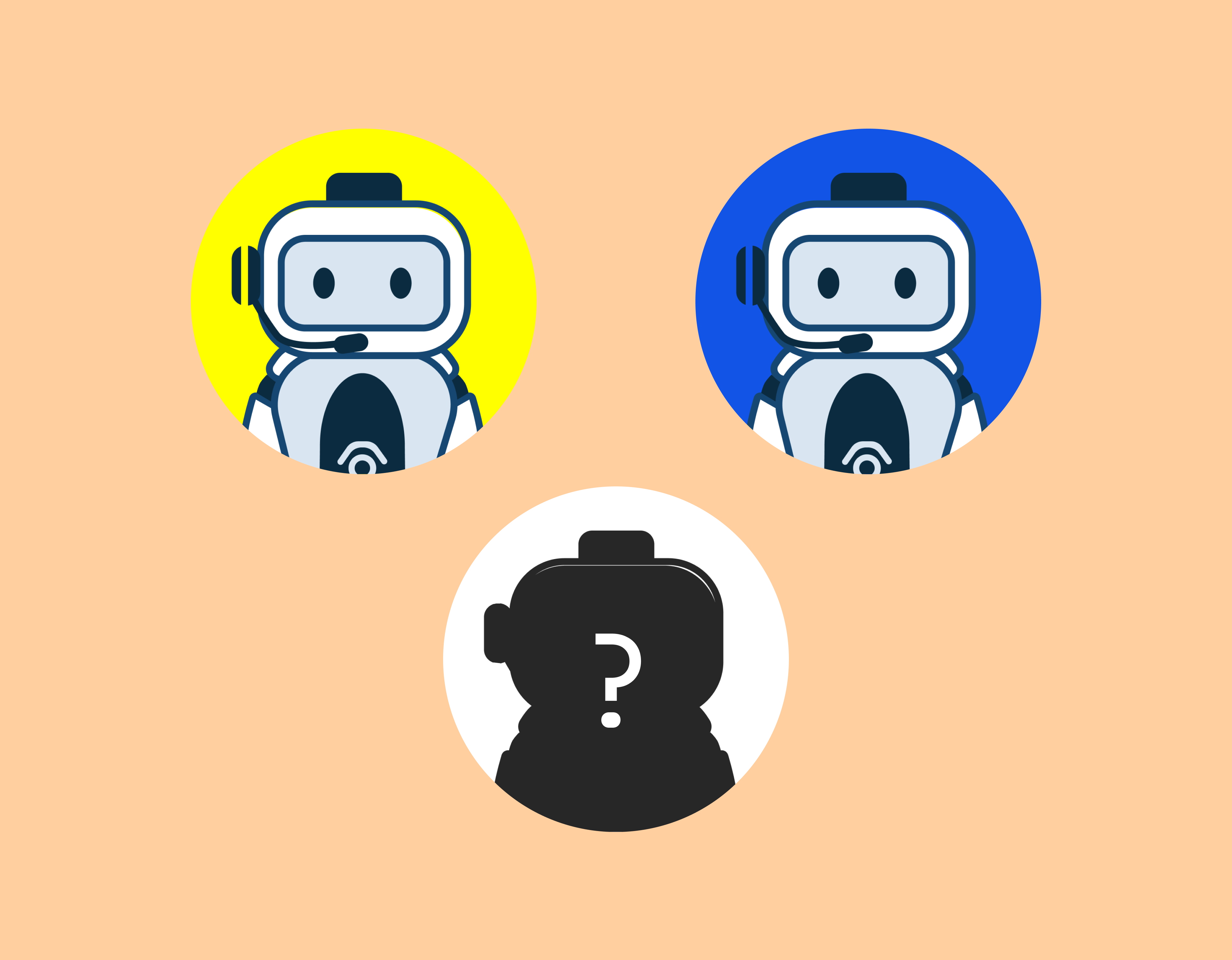
I needed to better understand any technical limitations my design might run into, so I worked closely with the engineering team to understand how they built our AI agents. We had multiple agents handle different tasks: one that helps customers create and set up shipments, while another agent manages shipment updates and can modify shipment information.
What was missing was an agent that could help handle the tasks involved in the procurement process for shipments like sending and responding to emails, coordinating with carriers and information the team of any changes.
UX Issues
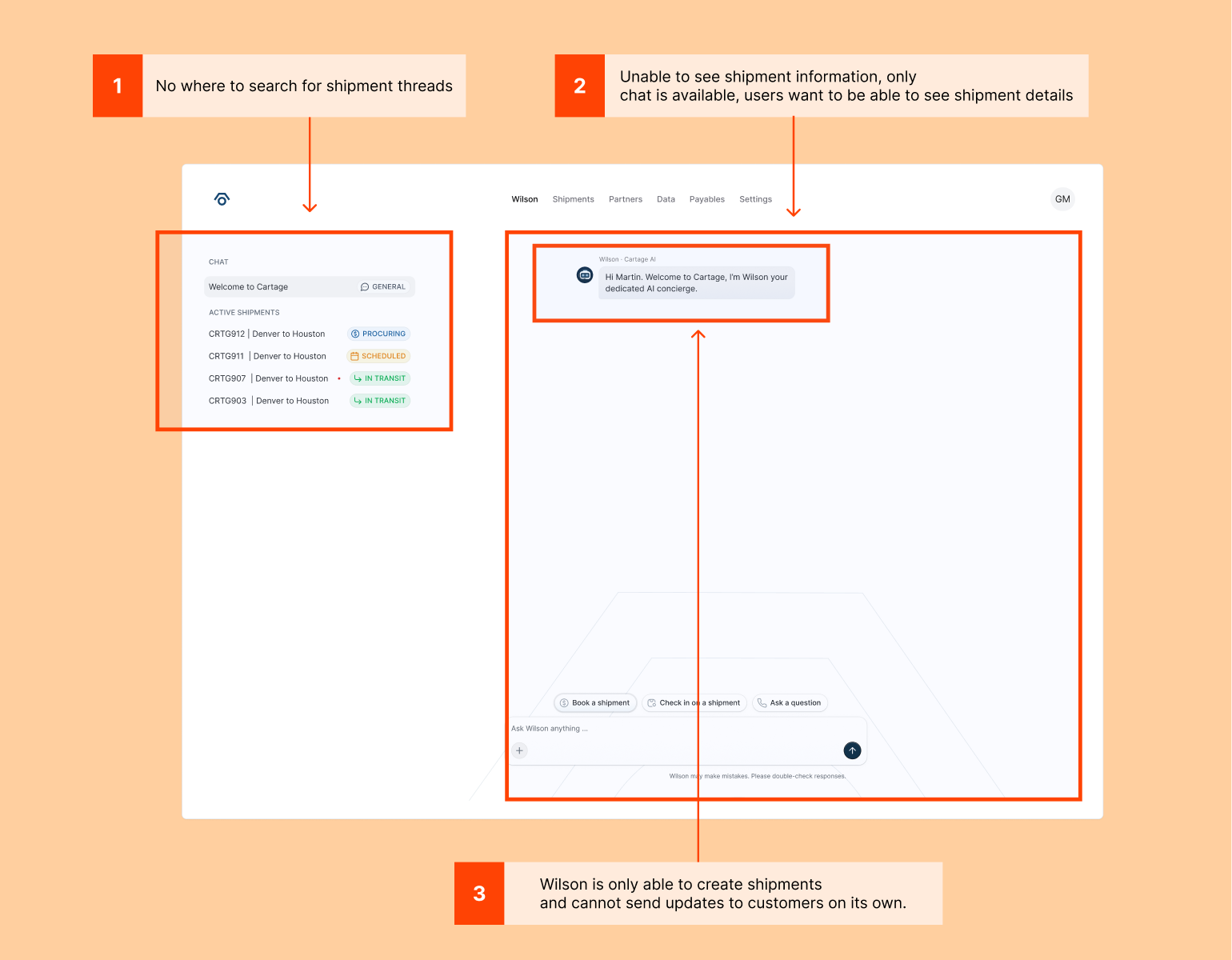
Customers and our internal team had UX issues with the existing module. The issues included: difficult finding the right shipment thread and important shipment information related to it, and Wilson's inability to send shipment updates or respond to emails on behalf of the team.
Design
Flexible layouts that adapt to how you work
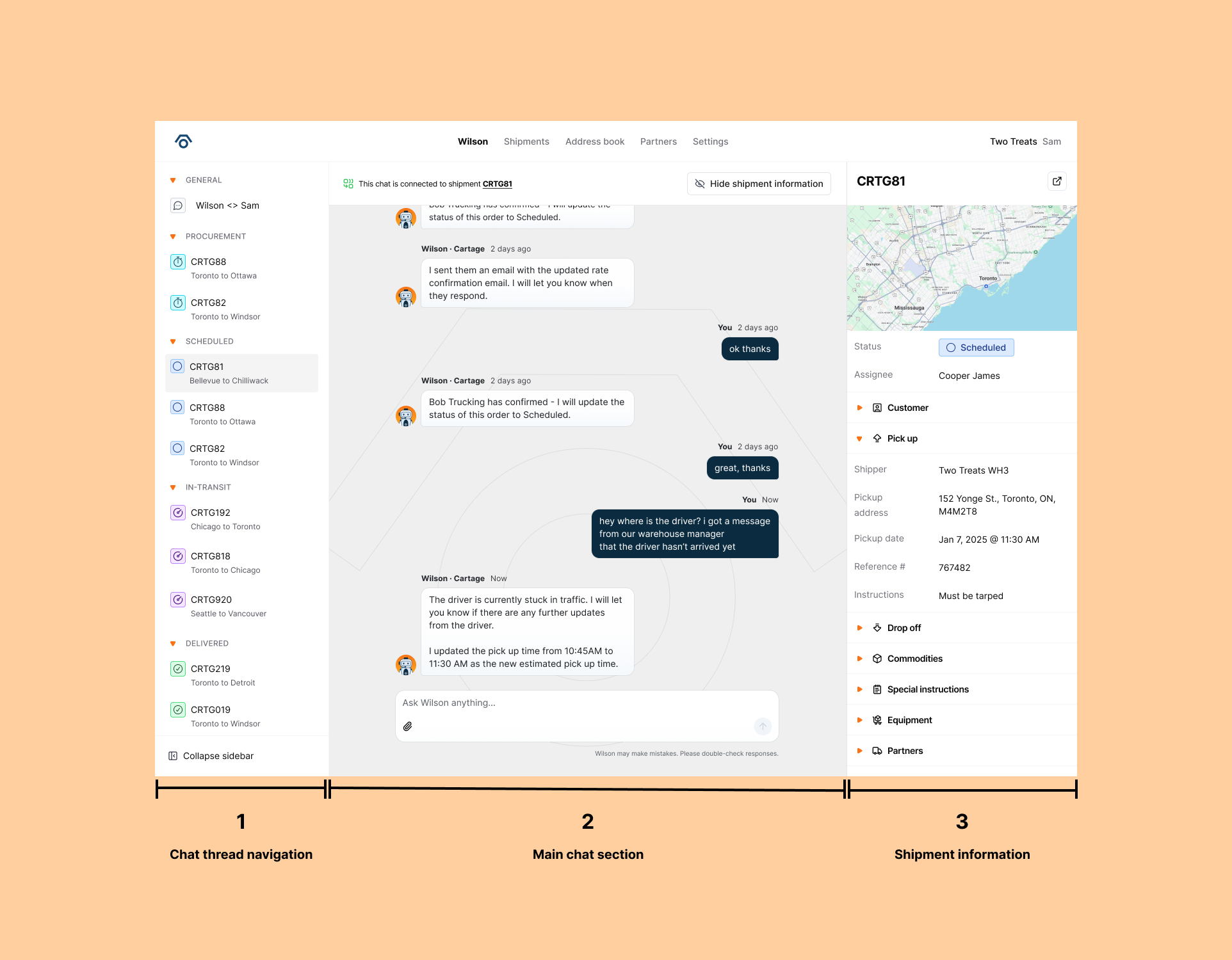
There was an internal debate about whether the module should default to showing two panels (the list of shipment threads on the left, the chat on the right) or three (adding a third panel for shipment details). I proposed a middle path: default to two panels, but give users the ability to open a third panel when they want to see shipment details alongside the conversation.
This let the customers and the ops team choose their own focus. If you're deep in a chat, you can stay there. If you need to cross-reference shipment details, they're one click away. No one gets locked into a layout that doesn't work for them.
2 panels layout that shows the shipment threads on the left and the chat on the right.
Option to open a third panel for shipment details alongside the conversation.
Navigation that allows you to scan quickly
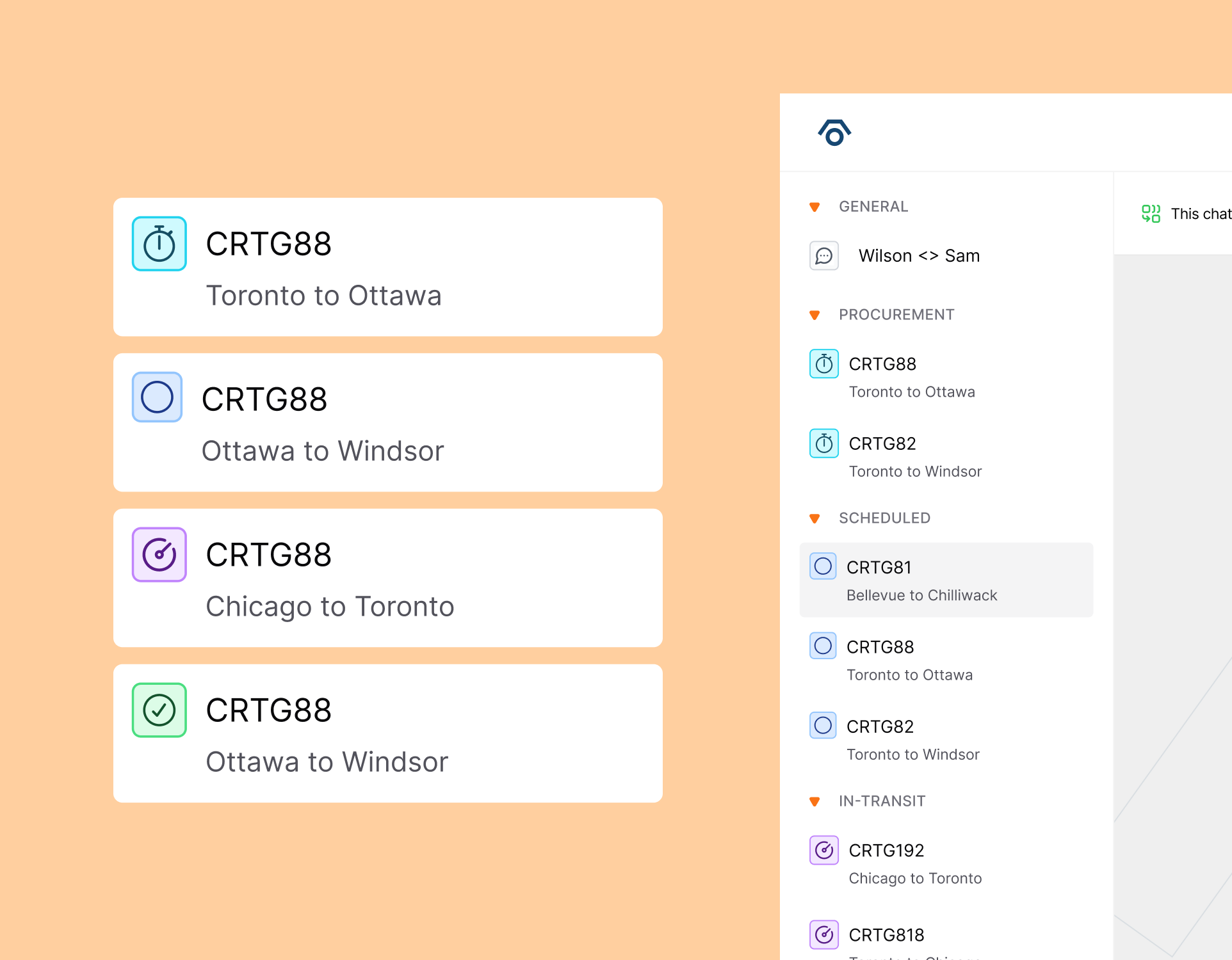
The previous version of the module displayed all shipment threads in one long, undifferentiated list. Finding the right thread meant scrolling, searching in your memory, and hoping. We explored adding search and a favourites feature, but decided the engineering complexity wasn't worth it for the first version.
Shipment threads were displayed in a long, ungrouped list.
Shipment threads are grouped by status and displayed in a more organized way.
Wilson writes the emails. Humans can review and send.
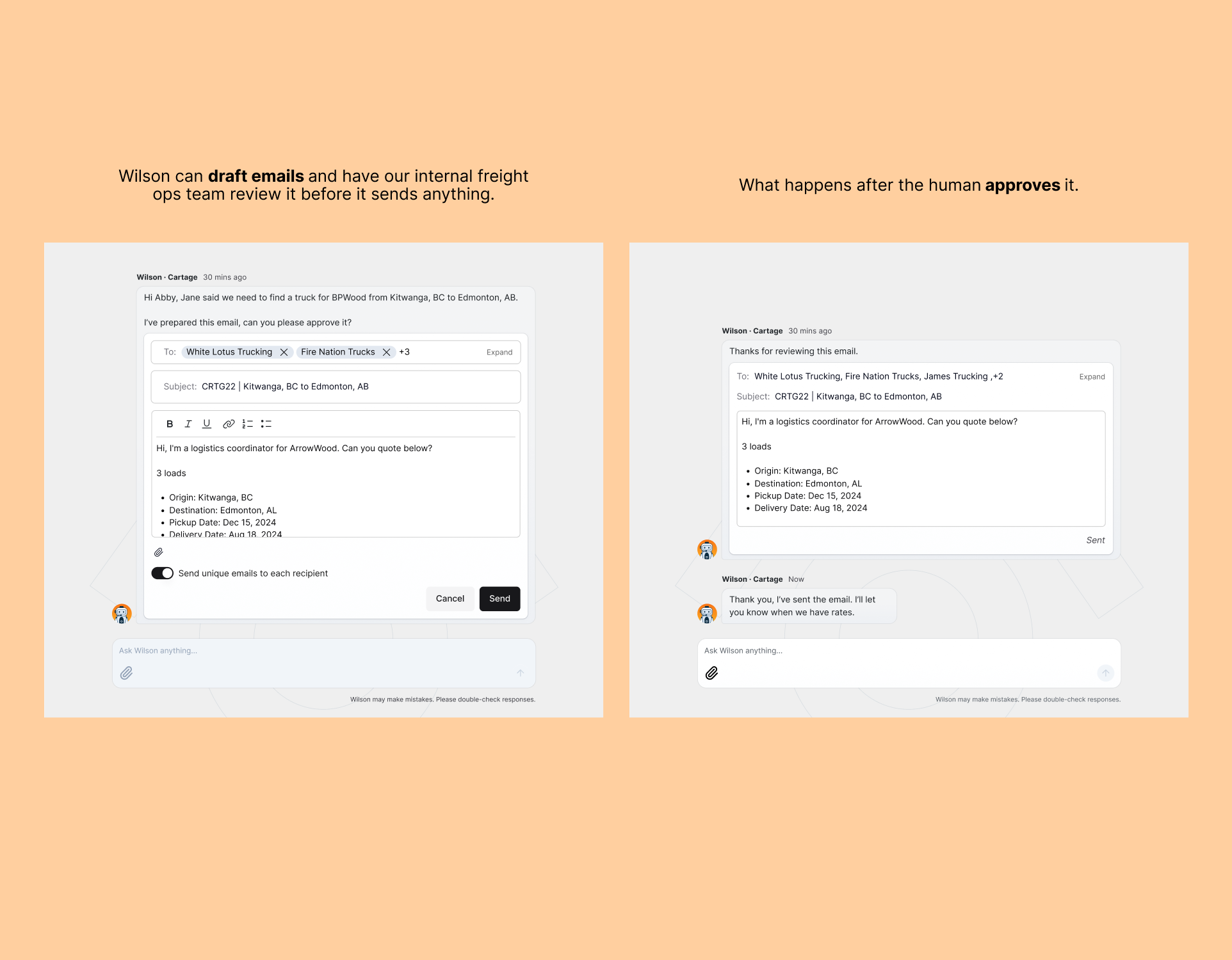
A freight coordinator would have to draft an email first and then send it to the carrier asking if they can fulfill the shipment. They also send updates to the customers about what happened.
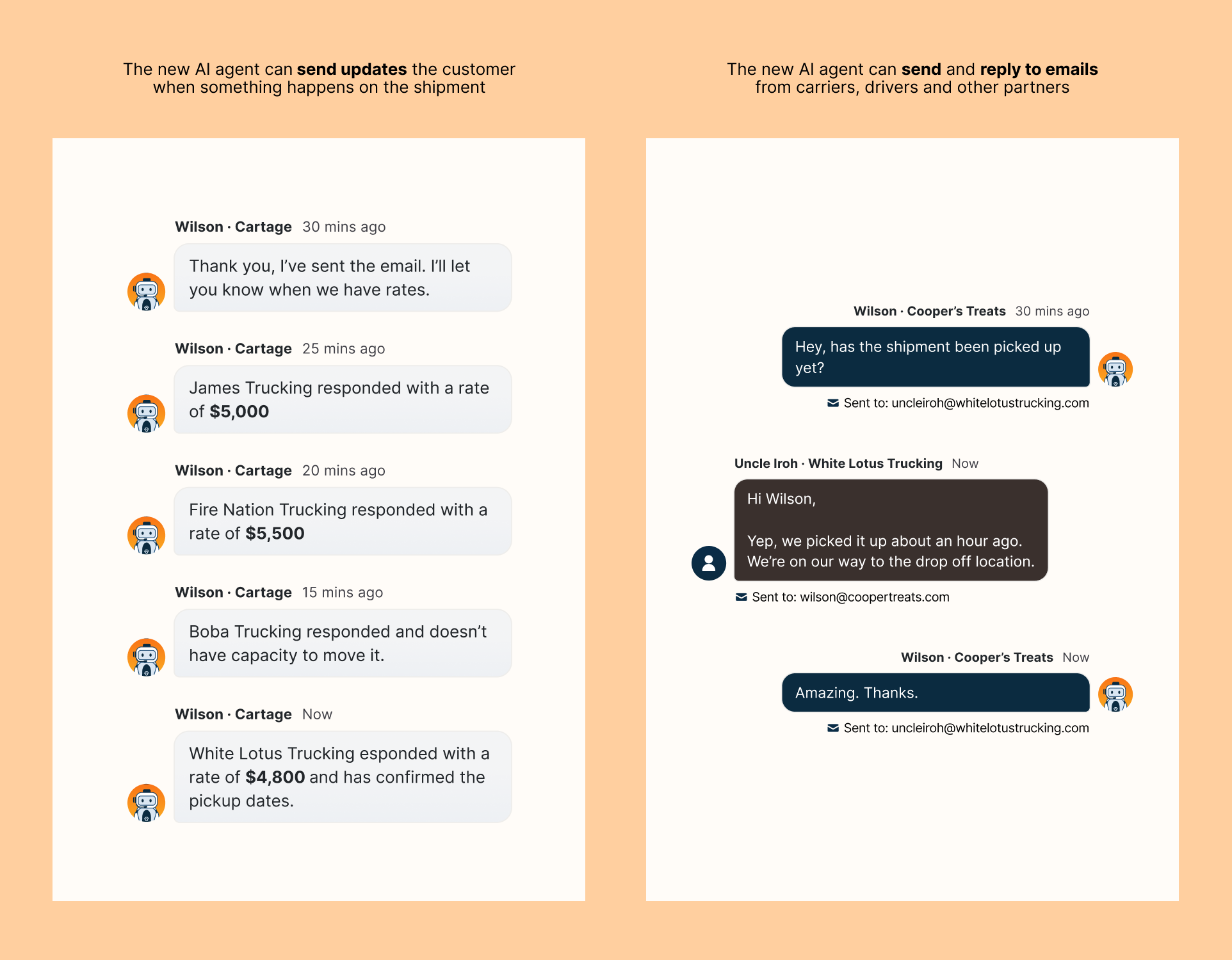
Wilson drafts the email, the freight coordinator reviews it, and have Wilson send it to the carriers. Wilson can also send updates to the customers. This frees up time for the freight coordinator to focus on more important tasks.
Launch & outcomes
We launched the Internal Wilson Module to the freight ops team after a short, focused design and build cycle. We designed just enough to test, learned from what we saw, and iterated quickly. The results were meaningful:
- Wilson took on roughly 40% of logistics coordination tasks, including carrier outreach, pickup confirmations, and paperwork.
- Wilson handled approximately 70% of customer‑facing communication tasks, things like shipment updates that previously required manual effort from the team
The module didn't replace the freight ops team. It made them faster and freed them up for the work that genuinely needed a human.
Lessons learned
- Designing for AI systems changes how you think. When the product you're designing for isn't just software but an agent that takes actions in the world, the questions you ask shift. You're not just thinking about screens — you're thinking about what the AI knows, what it can do, and what it should ask a human to handle. It's a fascinating new space and one I want to keep exploring.
- Progress over perfection is the right default at a startup. There were designs I loved that didn't make it into version one. That's fine. The goal was to ship something real, learn from it, and build from there.
- The most valuable research I did was doing the actual job. Spending a week as a freight coordinator gave me something interviews and observations couldn't — a visceral understanding of what the work actually felt like. I'd do it again on every project if I could.
Acknowledgements
To Alex and Val, our AI engineering leads: thank you for your patience in explaining how agents work and for answering every question I had (there were many!)