E-Tracking
A way for our customers to share a link that can be sent to non-registered RR users who want live updates on where shipments are.
Overview
Our users have expressed a strong need for a way to help their customers track shipments without the hassle of manually sending updates via email or message each time. After receiving numerous requests for this feature, my team and I set out to find a solution.
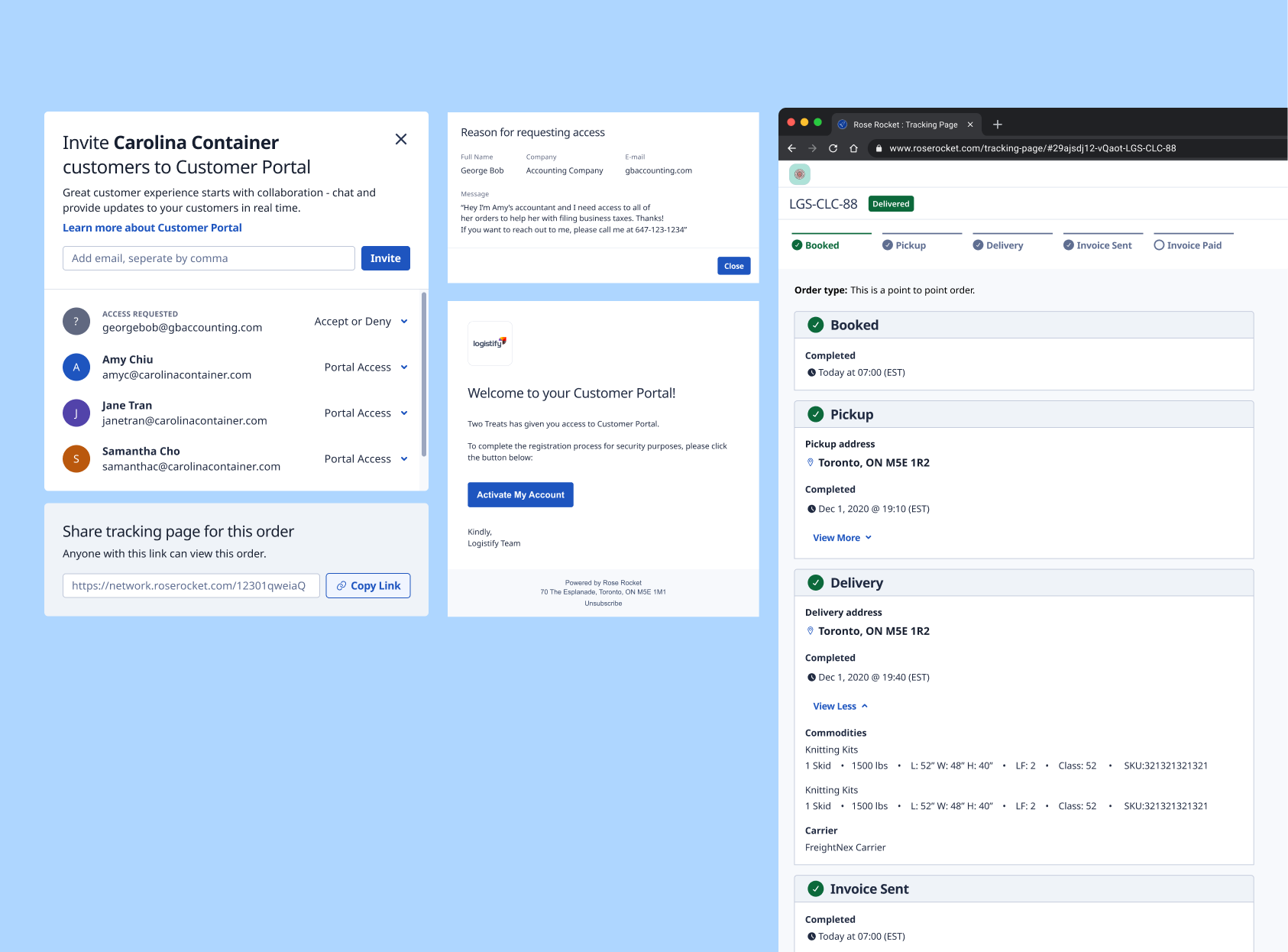
I designed a way for our customers to share a link that can be sent to non-registered RR users who want live updates on where shipments are without needing to create an account. The tracking page has a CTA that lets our customer's customers to request for portal access so they can follow all of their shipments in one place.
Problem
Some of the challenges we heard from our customers were:
- Their customers who don't have portal access can't see their order statues and updates
- Every single update had to be sent manually via email or text messsage to their customers
- No simple way to send quick tracking information to their customers
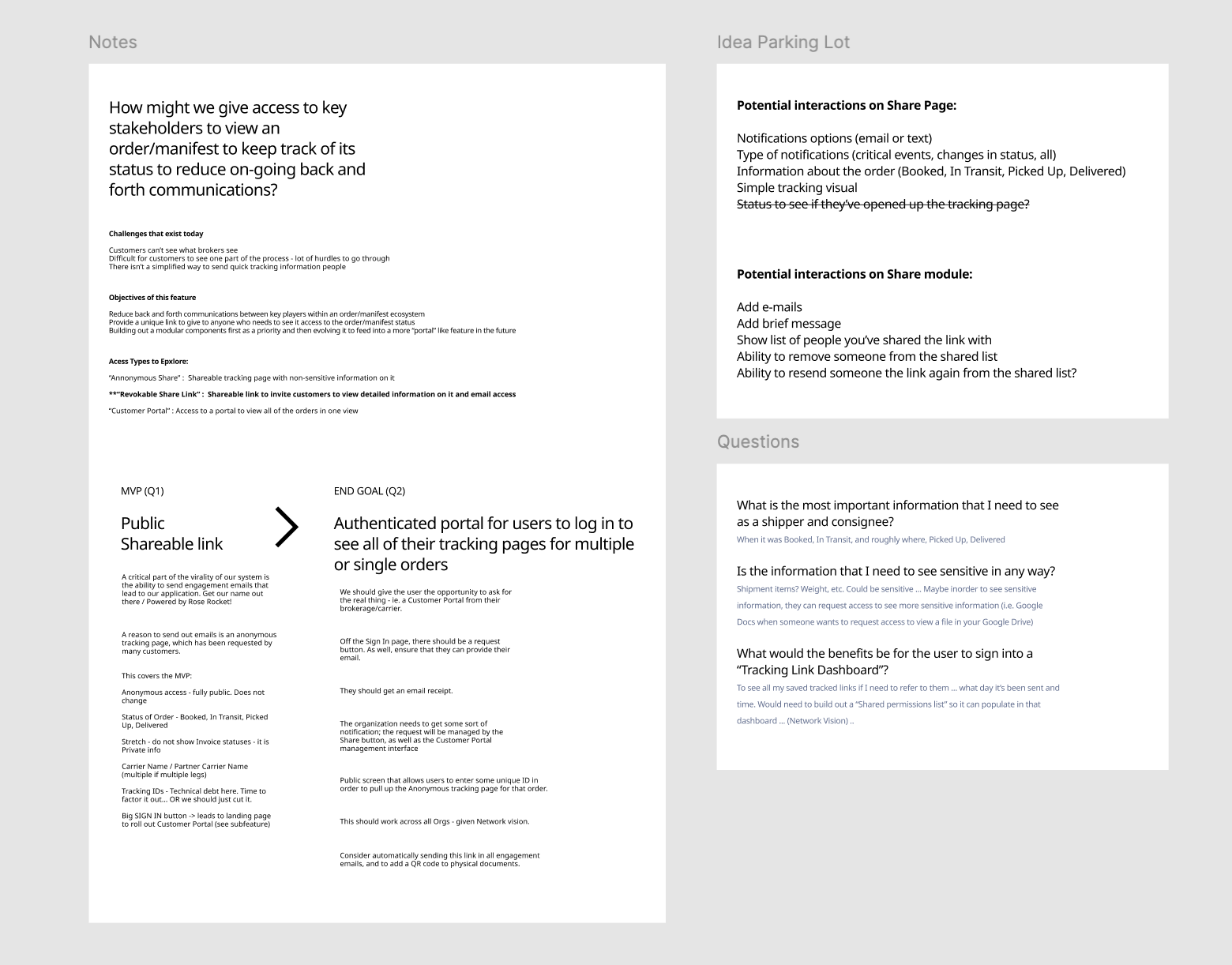
How might we give access to non-registered RR users to view an order to keep track of the status to reduce on-going back and forth communications?
Information gathering
I like to keep track of questions and ideas I have about a project in my Figma file to keep track of my thinking and have a record of what I've already explored and thought about.
This helps keep my thinking process transparent and allows my team and stakeholders to jump in to help answer any questions I've written down or to build up on any ideas I might've written down.
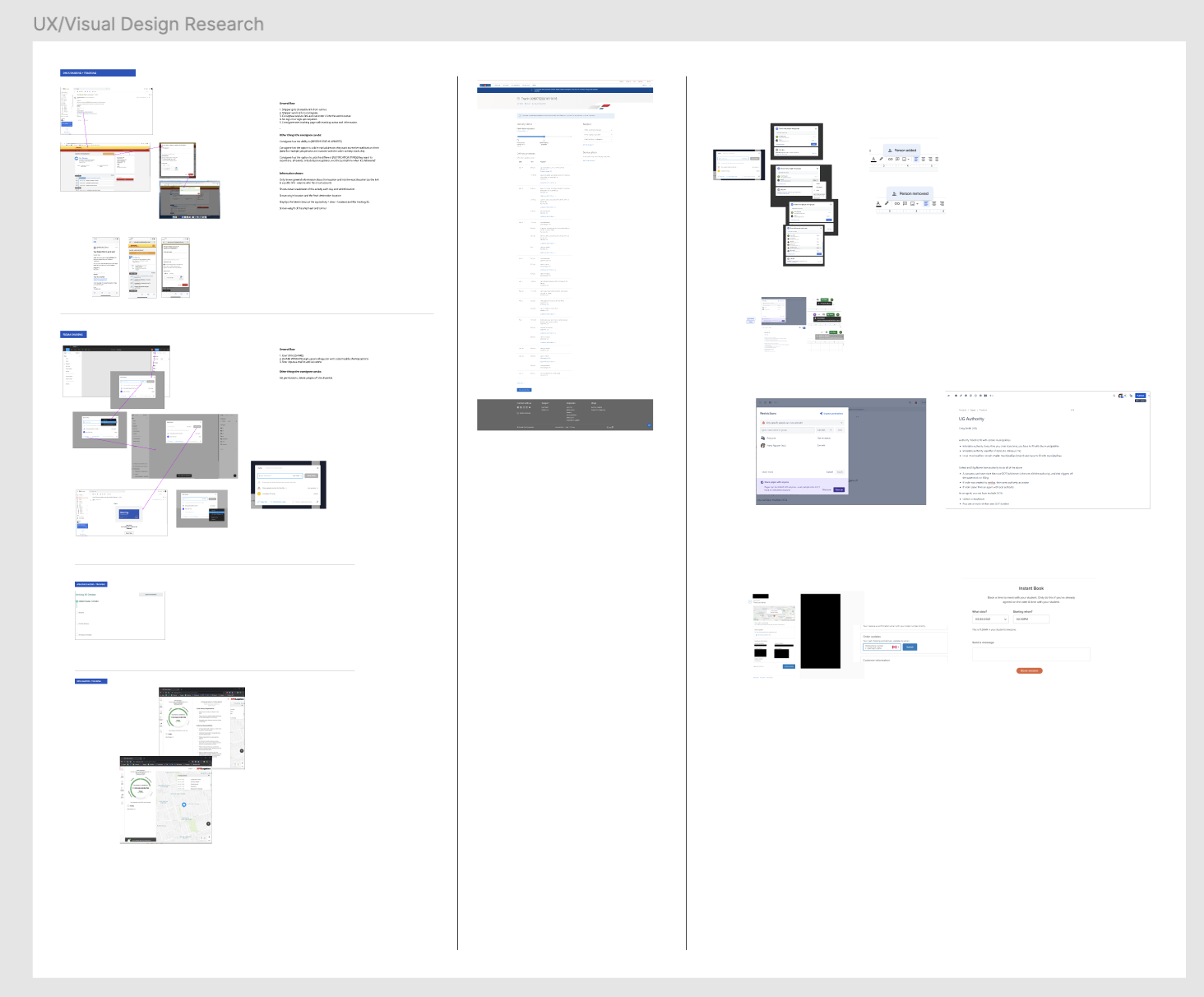
I began by conducting secondary research to explore how other websites handled shareable track-and-trace links for shipments. This helped me better understand the general flow and identify common UX patterns that worked for these companies.
User flows
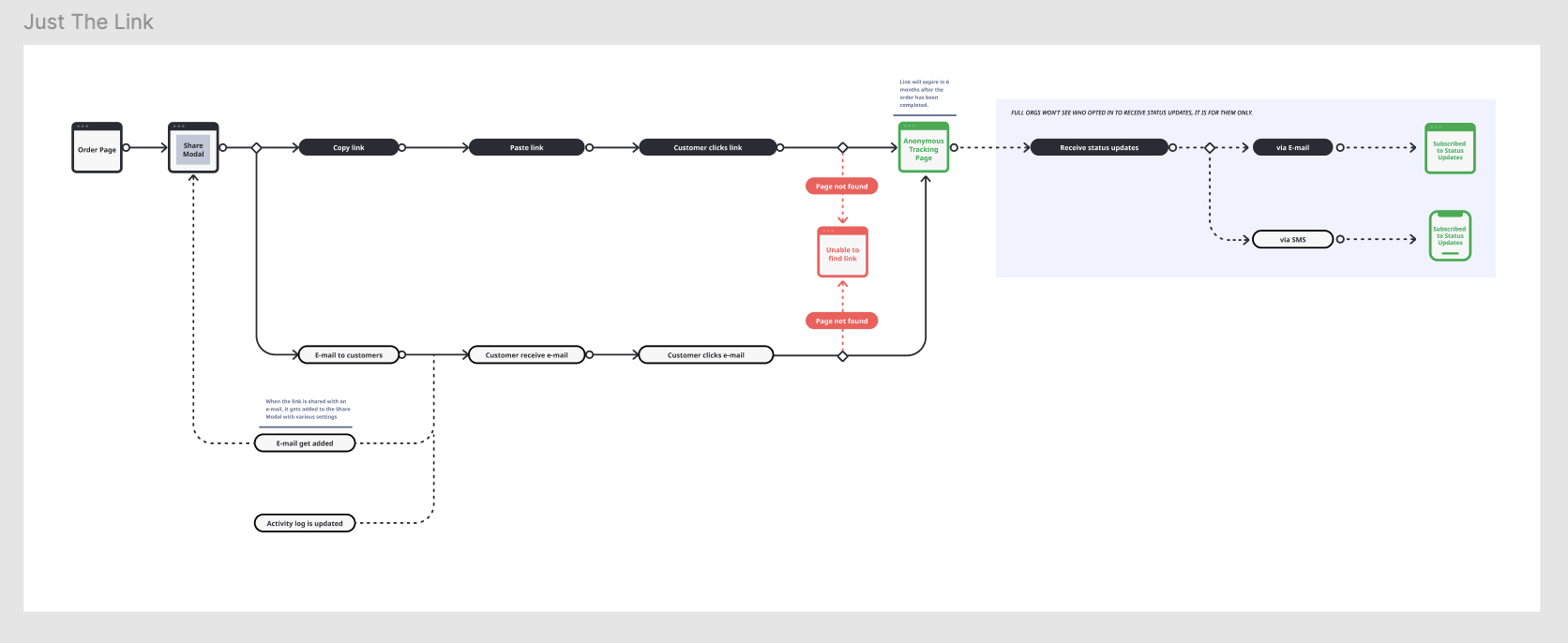
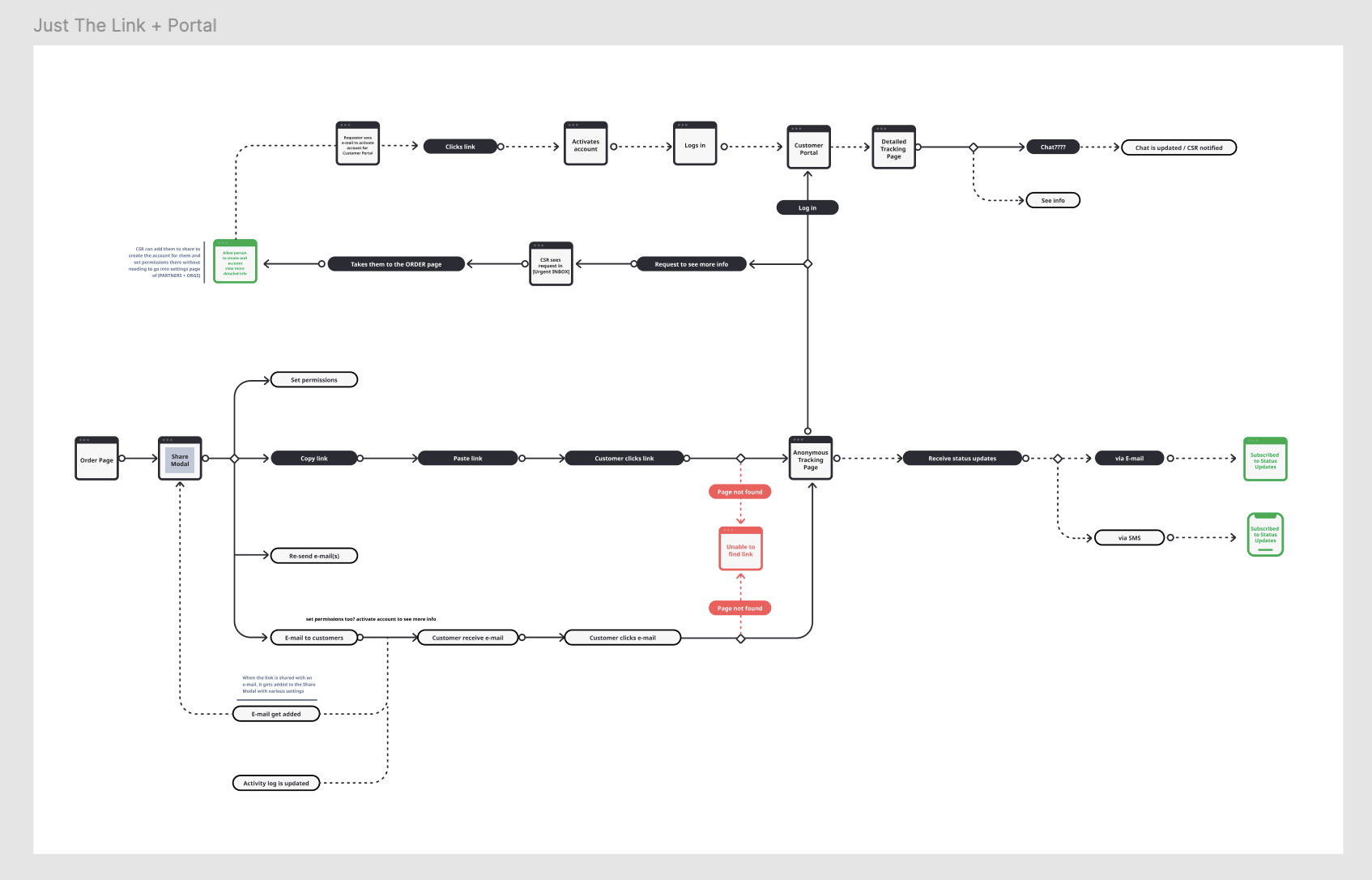
With this research as a foundation, I created several versions of different user flows to get my ideas down on paper. The first flow I developed was a minimal viable product (MVP) version, outlining the basic features necessary for the functionality: a shareable link and email invite access.
After refining the MVP flow, I then expanded on it by creating an alternate flow that included additional sharing methods, such as text messaging or copying the link directly from the webpage.
Concepts
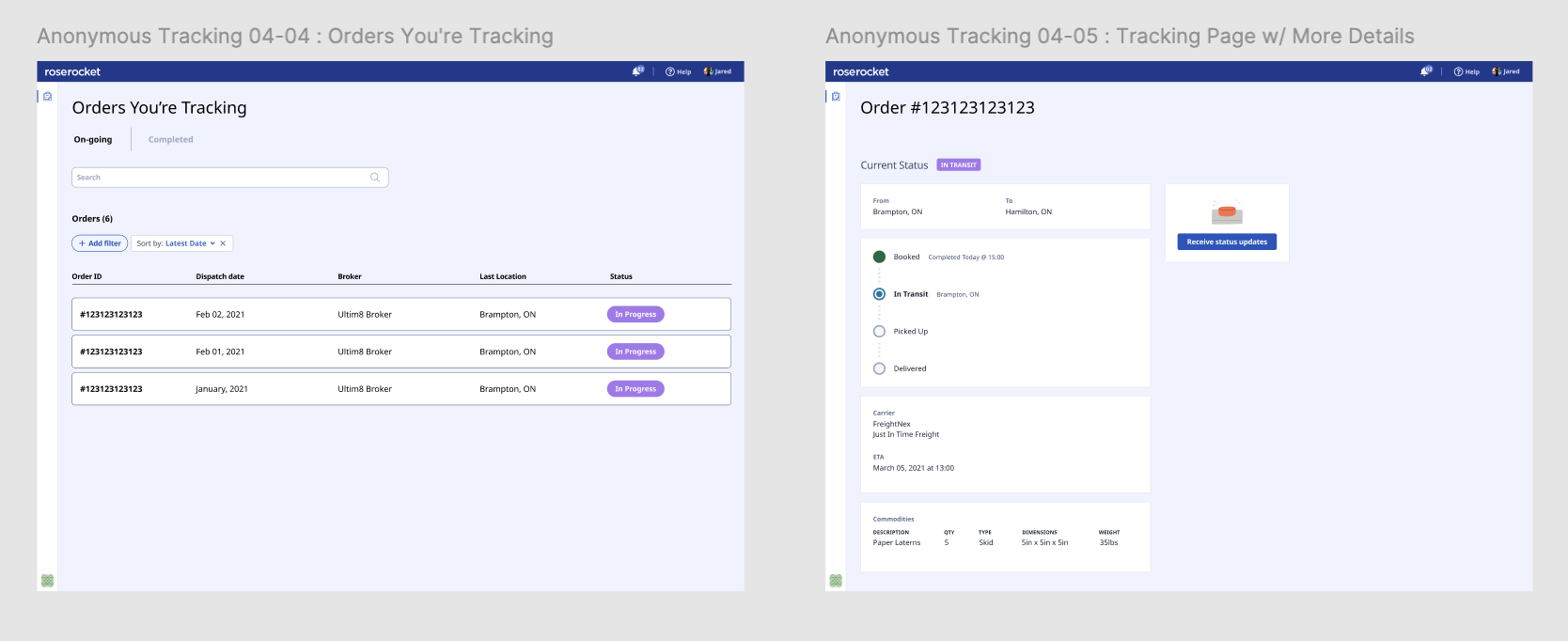
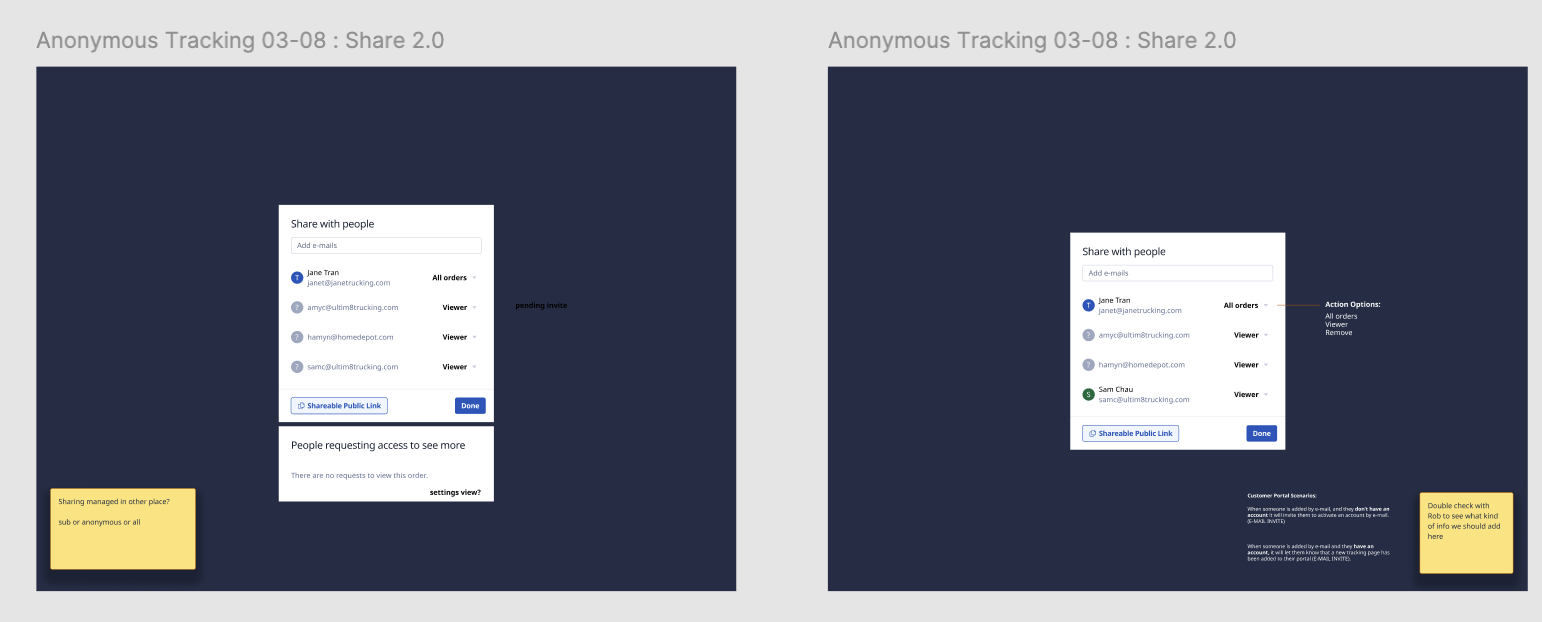
I put together some concept sketches to visulize the user flows I created so I can get a better sense of what kind of content and layout would fit best.
Continuous iterations
After sharing the user flows with my team, we collaborated to make adjustments and finalize the solution approach. From there, I began creating medium-fidelity designs to bring the user flows to life.
Throughout the process, we identified potential UX gaps that we might have missed.
To ensure the best outcome, I facilitated design review sessions with other members of the design team, gathering their feedback to continuously refine both the UX interactions and UI design.
Final design
Major changes to the experience
Customer wants an update → RR user checks the platform → manually sends an email or text → repeat for every change, every shipment.
Share a link once and customer sees live updates themselves. No login. No back-and-forth. Customers can also request access to a portal to see all of their shipments in one place.
Share modal
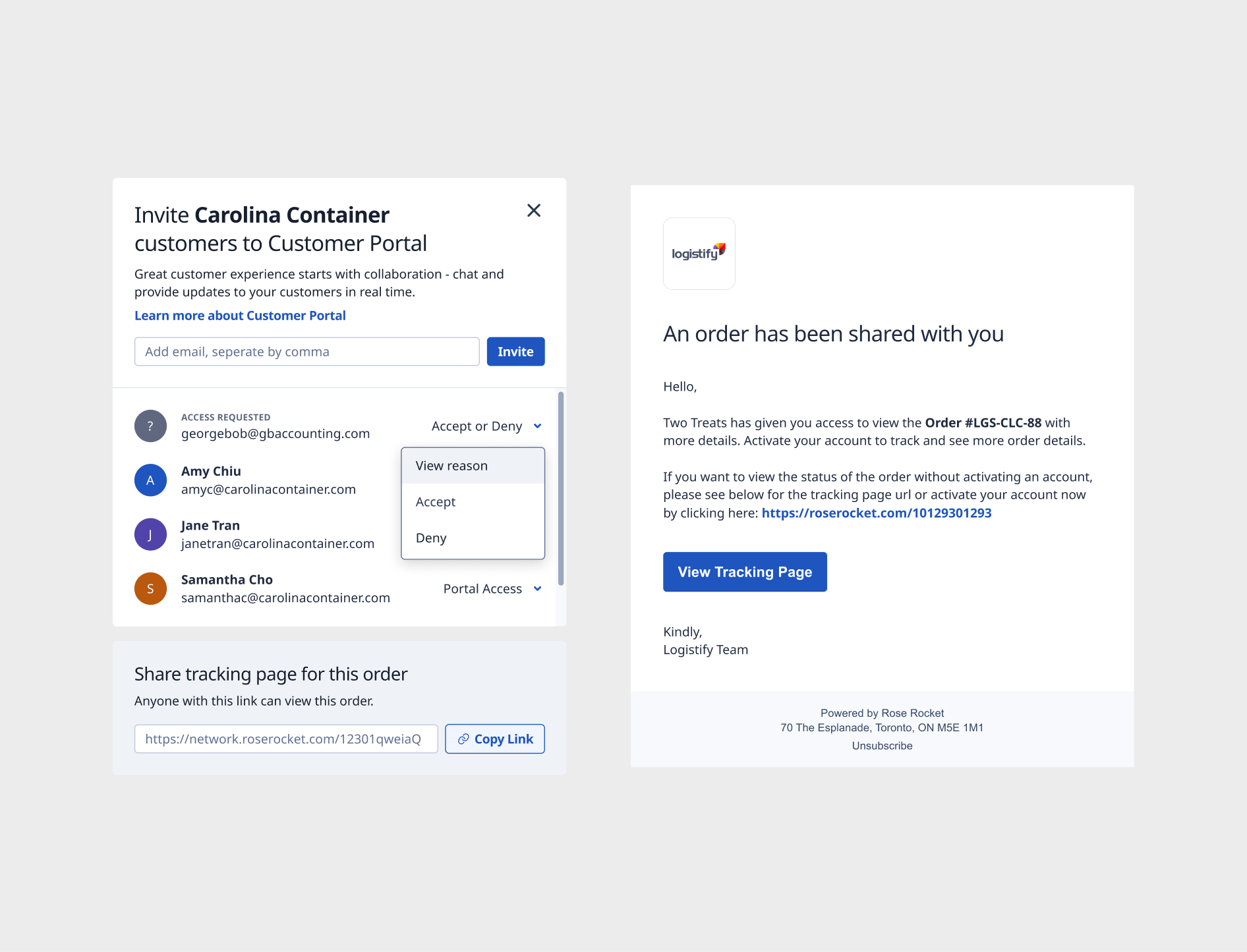
Customers can click into a shipment and click on the "Share" button to open the newly created share modal. Customers can choose to share the link via copying the link or sending an email invite to their customers to give them access to their own customer portal to see all of their shipments and not just one.
Live tracking page
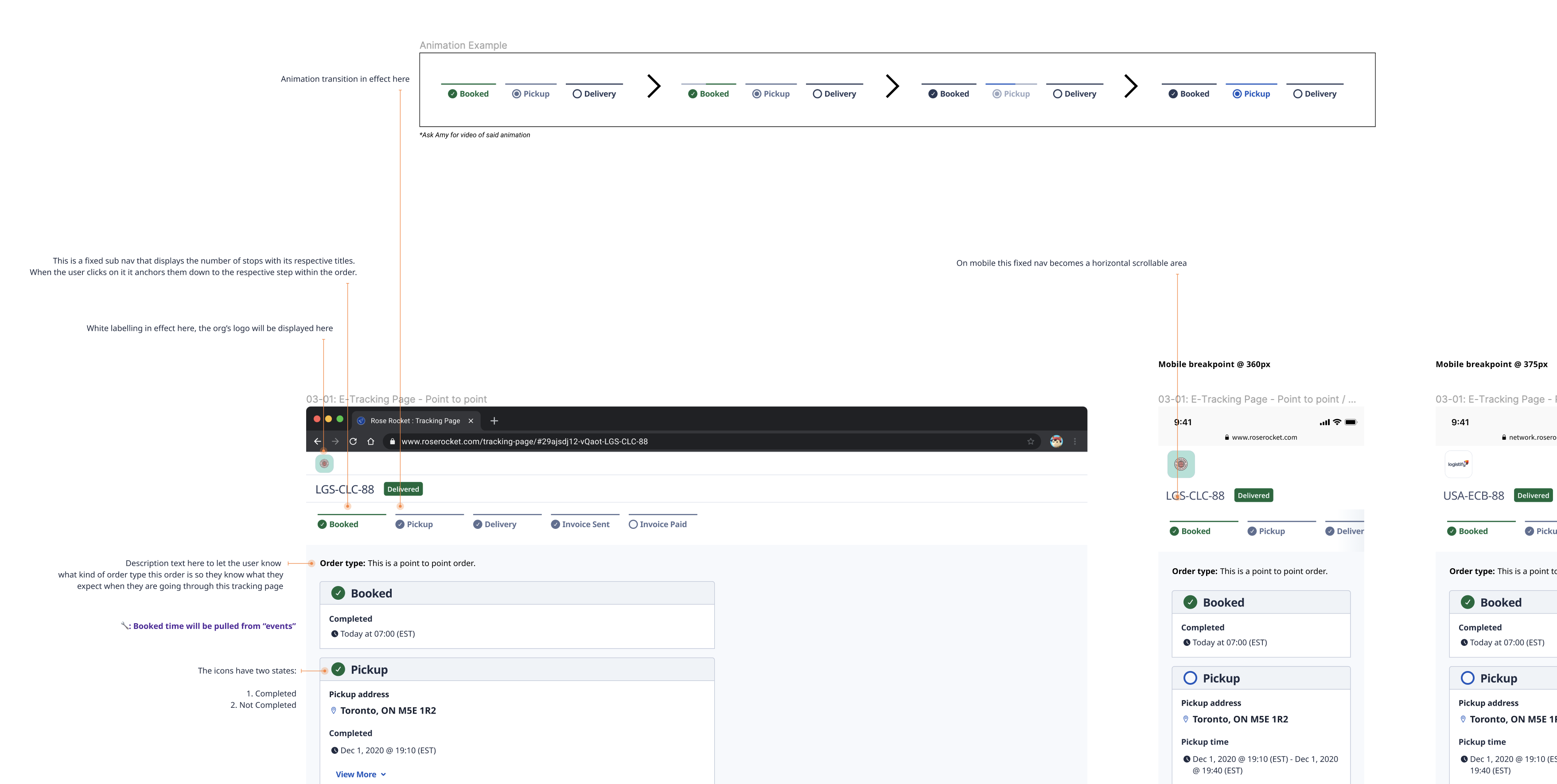
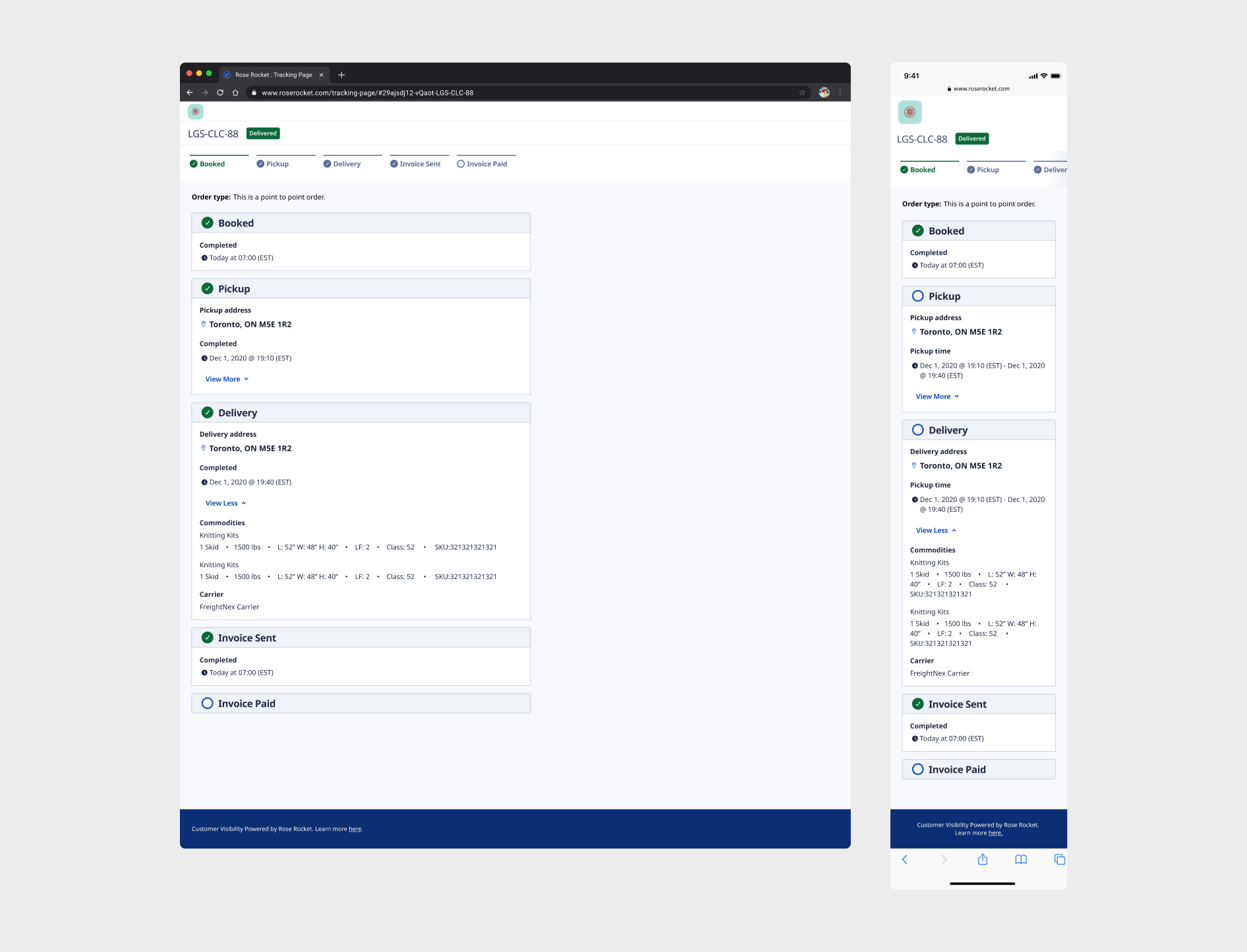
Our customes' customers don't need to sign up or log into a portal to track their shipments and they don't need to ask them for updates either anymore.
By default, the e-tracking link will expire 45 days after it’s created. When an order is updated to Delivered, Invoiced, Cancelled, or a Claim is created, the link expiry will reset to 45 days.
Launch and outcomes
We launched the MVP and decided to move forward with the feature and have live customers test it out and give us their feedback. The customers came back to us and told us that they appreciated how easy it was to share track and trace links with their own clients.
One of our team's objective was to get customers to use our network features and this e-tracking feature was one of the most highly requested feature from our customers and it was great because it helped our team hit our objectives by increasing the usage of our network features.
Learn more about e-Tracking here.
Acknowledgements
Thanks to Colin and the Network Team for taking the time to let me facilitate a 1-hour design sprint to figure out how to make the track and trace feature more discoverable for customers. It was a huge ask but everyone brought the energy and some amazing ideas!