Control Tower
An AI-powered dashboard for distributors and manufacturers.
Overview
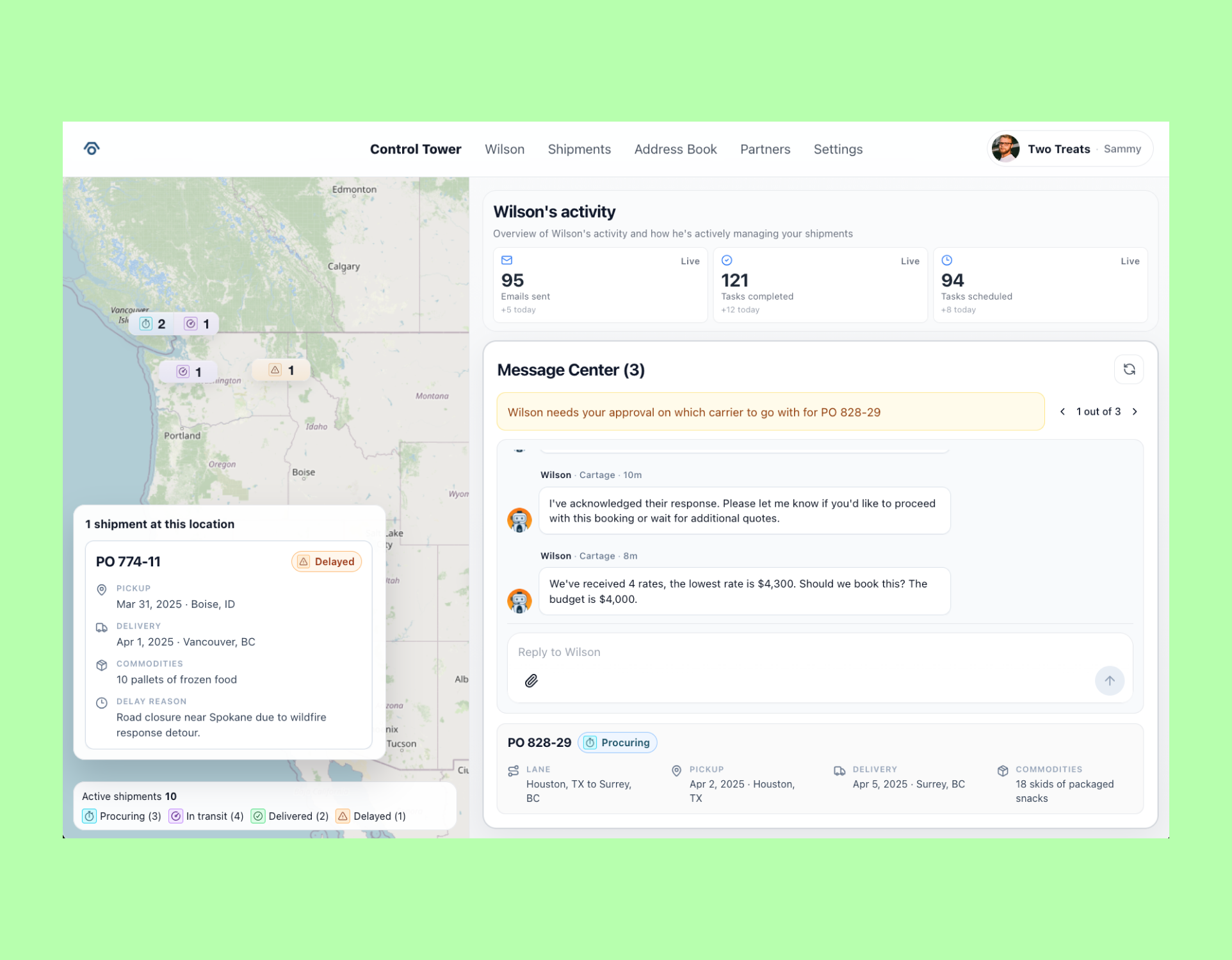
I designed a dashboard for distributors and manufacturers to give them oversight of their active shipments and which one requires their attention to help unblock any issues that arises.
Problem
Our customers were struggling to keep track of which shipments required their attention. Our current modules, Wilson Module and our Shipments module isn't cutting out for them.
It was difficult for them to filter everything and the way the modules were designed was that Wilson Module was used to monitor the details of each shipment and the shipments module was just a table of shipments that aren't very interactive at all.
How might we help our customers easily see an overview of their active shipments and bring attention to shipments that have issues?
Information gathering
Who our customers are
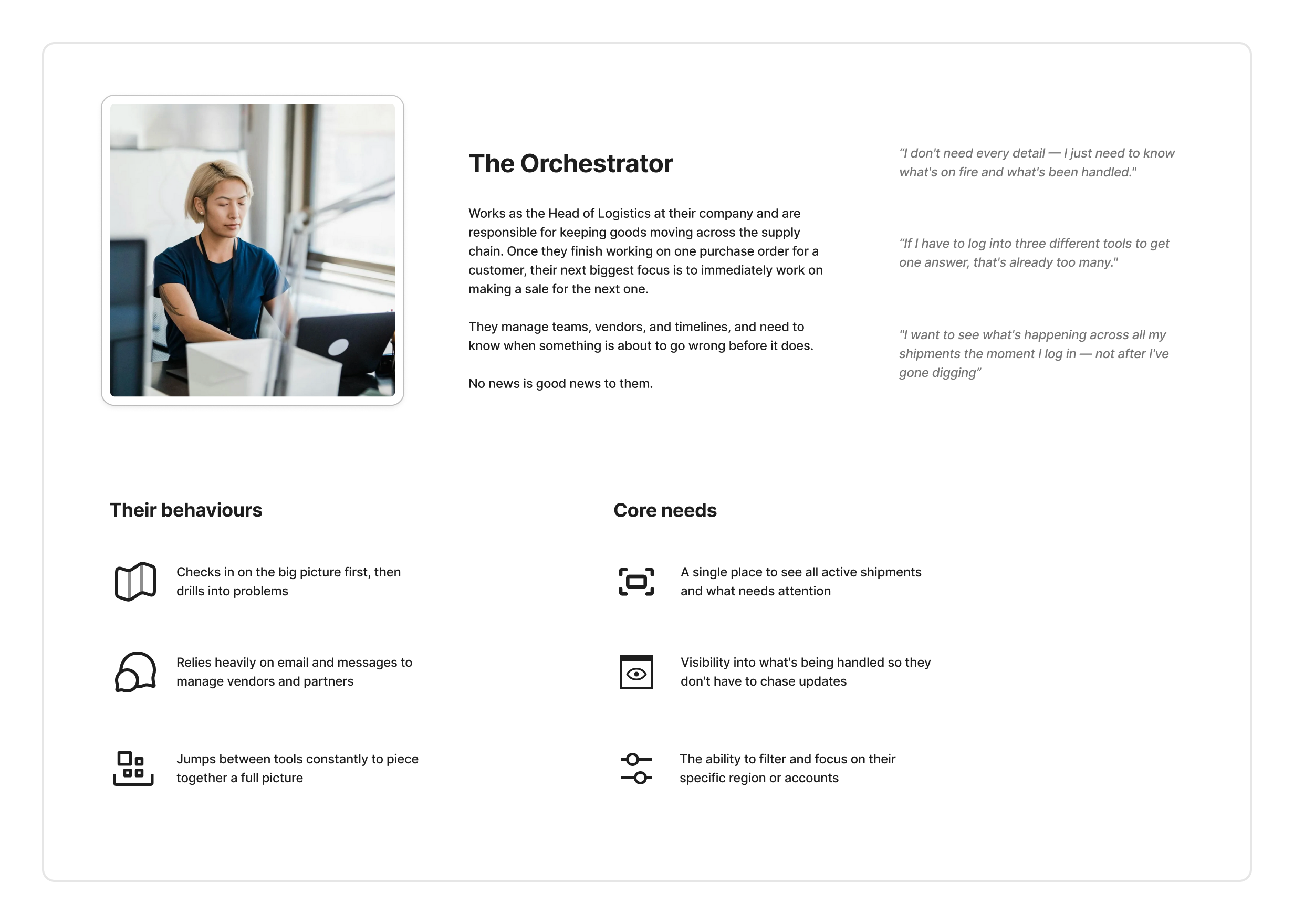
Our customers are typically the head of logistics or the logistics manager of a distributor or manufacturer. These folks are responsible for overseeing the entire logistics process and typically are the ones who are also responsible for creating purchase orders and managing teams, vendors and timelines.
What our business wanted to do
We wanted to show exactly what our AI Agent Wilson is capable of what what it is doing. The senior leadership team wanted to some how show this off to our customers to help them understand the value of our platform and that things are being done in the backend, they just don't see it.
It's collaboration time
I decided to try a new method of doing an asynchronous co-designing activity with my team to help me come up with ideas on how to best approach this problem together.
We created a slack channel for this project and I posted a slack message to the channel to ask for ideas and feedback on what else customers have said about any issues about our platform that we can try to weave into this project as a potential opportunity to address things.
Here's what folks shared in the slack channel:
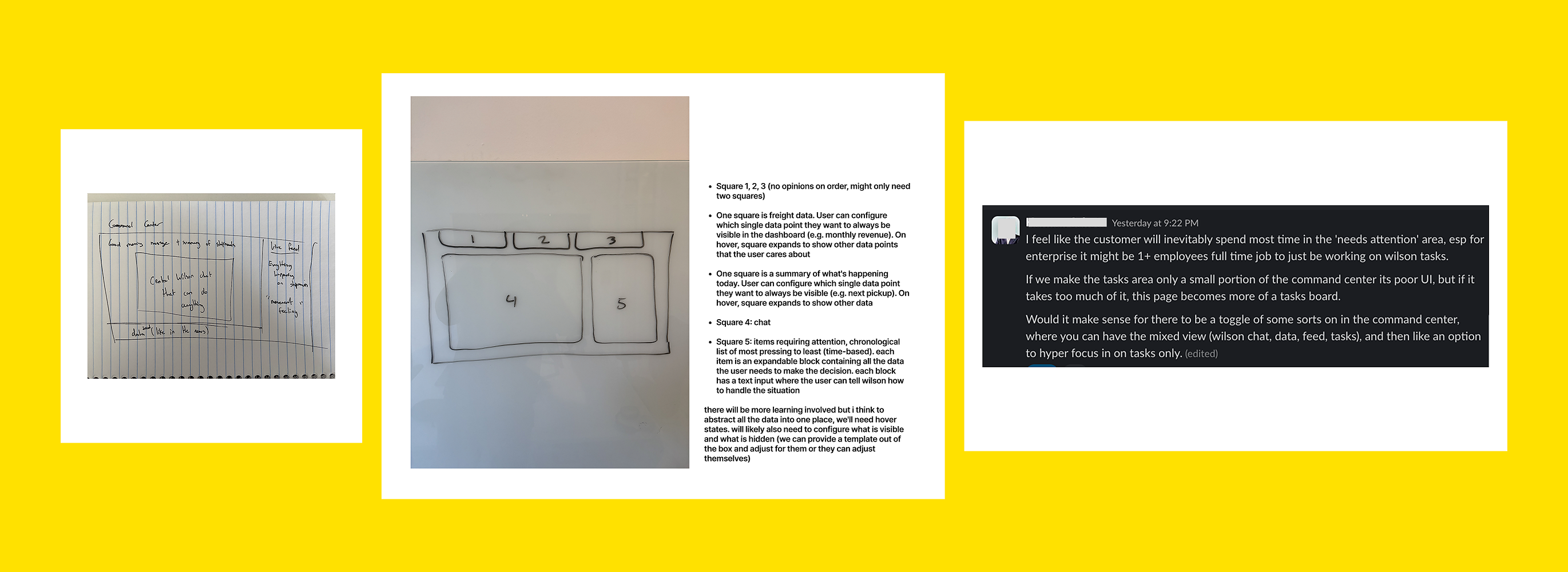
I took everyone's sketches and thinking and combined it altogether, mixed in with my thinking as well and started to sketch out what this dashboard could look like for our customers.
Concept testing
Took the sketches and created a clickable prototype to test with our customers. The objective of this testing was to:
- Test our proposed sections in the dashboard and see if it resonates with our test participants
- Uncover what sections they thing are missing
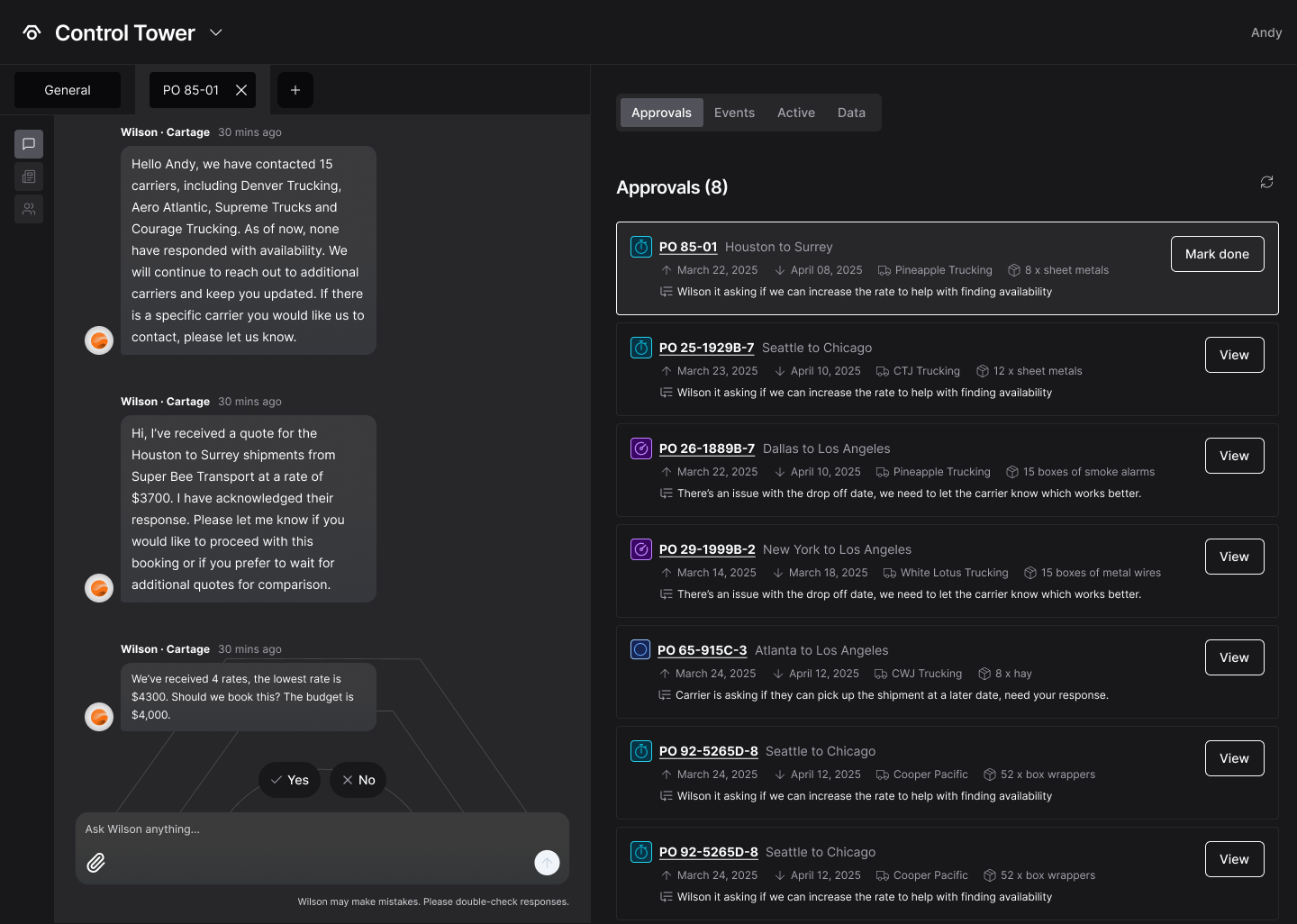
We tested with 3 participants, 2 of them were our customers and 1 of them were recruited from our COO's network who fit the profile our our persona.
Feedback from the participants
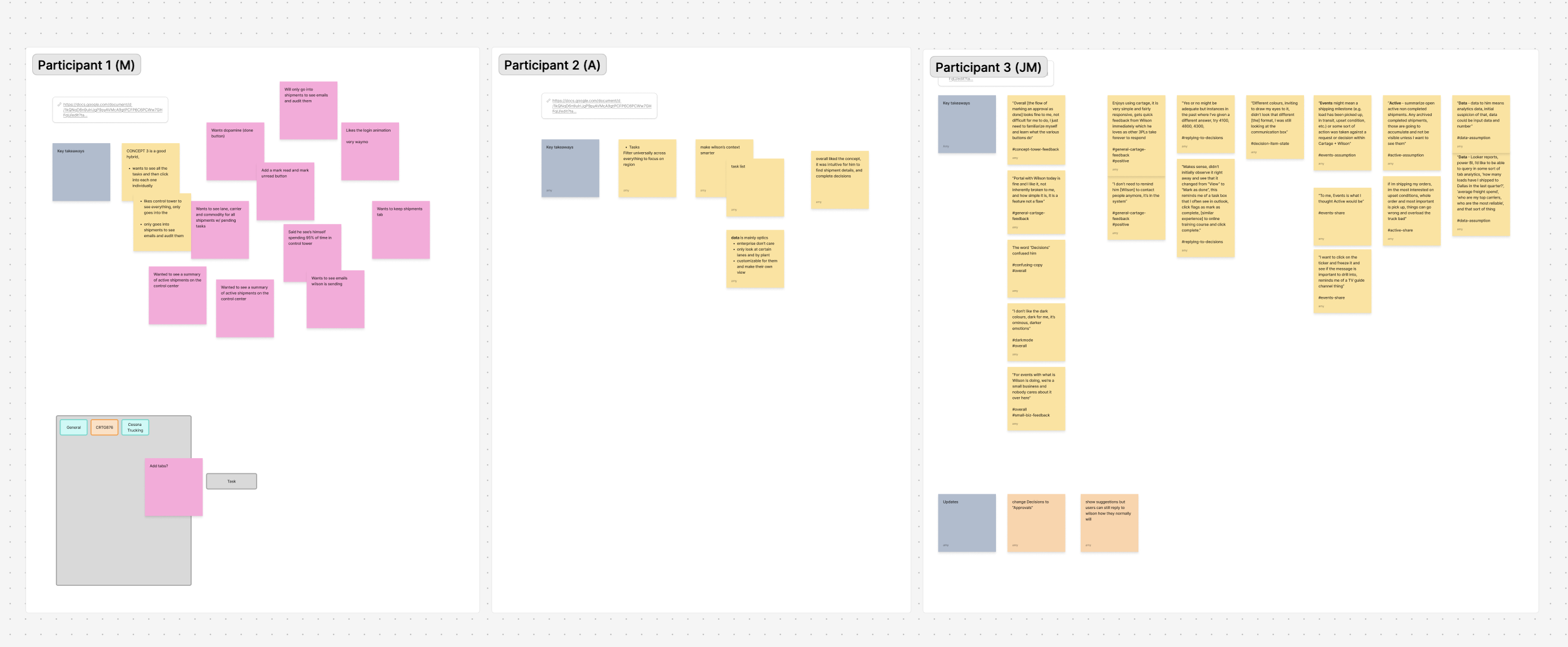
From the testing, we found out that:
- Everyone we tested with loved being able to see important information in once place but some of the labels were confusing
- Users want control and they want to be able to decide when something was marked as "done" on their own terms
- Seeing what the AI was doing in real time was exciting for people and gave them confidence that shipments were being taken care of
This round of testing gave our small mighty team just enough confidence to move forward with the designing and building this dashboard that sits in our new module.
I can see myself spending 95% of time in Control Tower.
“Makes sense, didn’t initially observe it right away and see that it changed from “View” to “Mark as done”, this reminds me of a task box that I often see in outlook, click flags as mark as complete, [similar experience] to online training course and click complete.”
I don’t need to remind him [Wilson] to contact people anymore, it’s in the system”
Design decisions and recommendations
After analyzing and synthesizing the feedback from our concept testing sessions, I created a set of recommendations for what to do next and what to keep in mind when designing a first pass working version of Control Tower:
- Control tower is a strong concept and the right direction to build because everyone we spoke to mentioned they loved it
- Change Decisions to something that is more easily understandable, like “Message Center” or “Approvals”
- Remove suggestion pills in the chat for now as it takes up space visually and most people won’t use it to start - we can slowly reintroduce it later
- There is value in showing what Wilson is doing in the back, even if its read-only
- We teased a data tab in our concept to see what the expectations would be, but I decided that we should backlog it for now for another project
Design: Dashboard
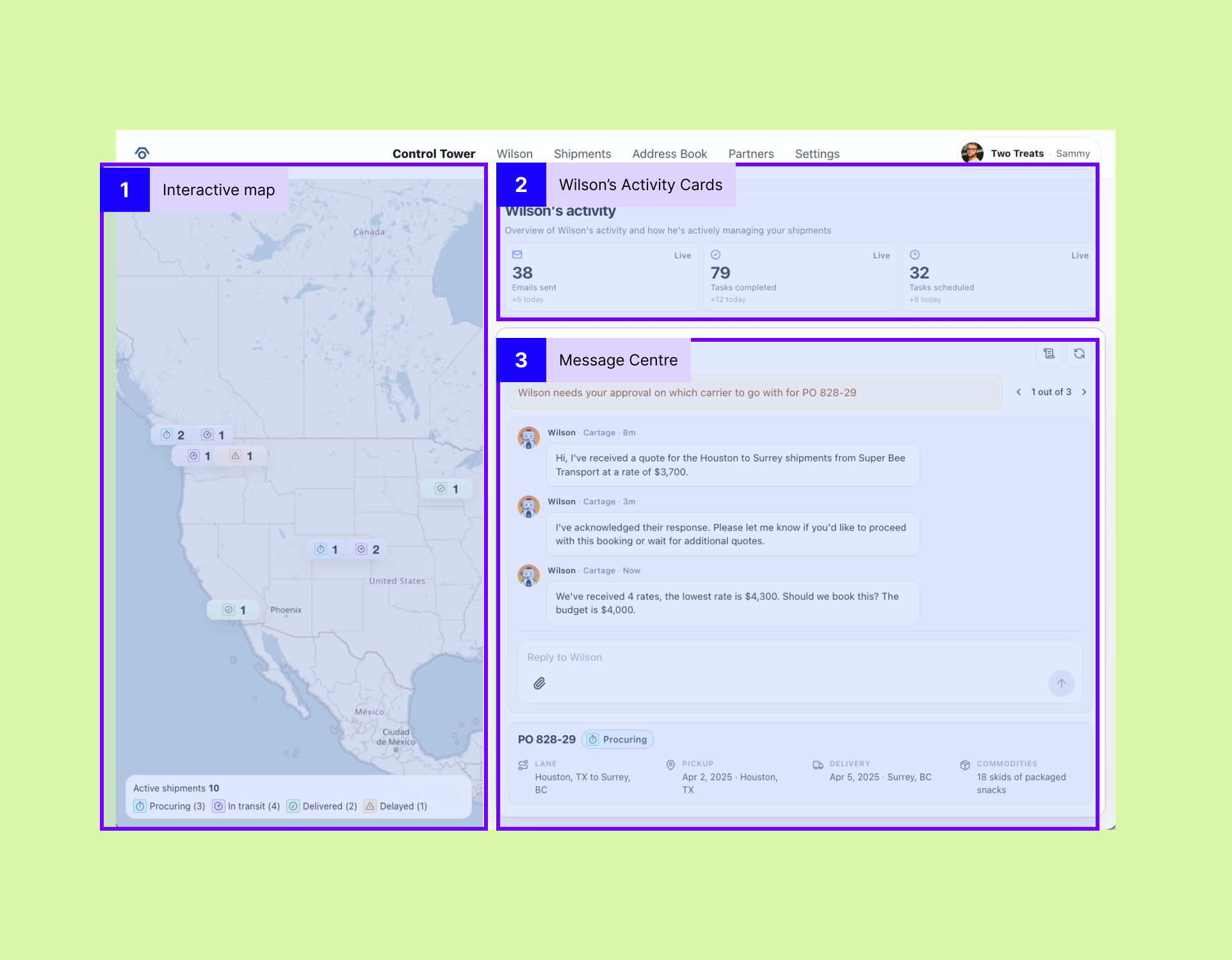
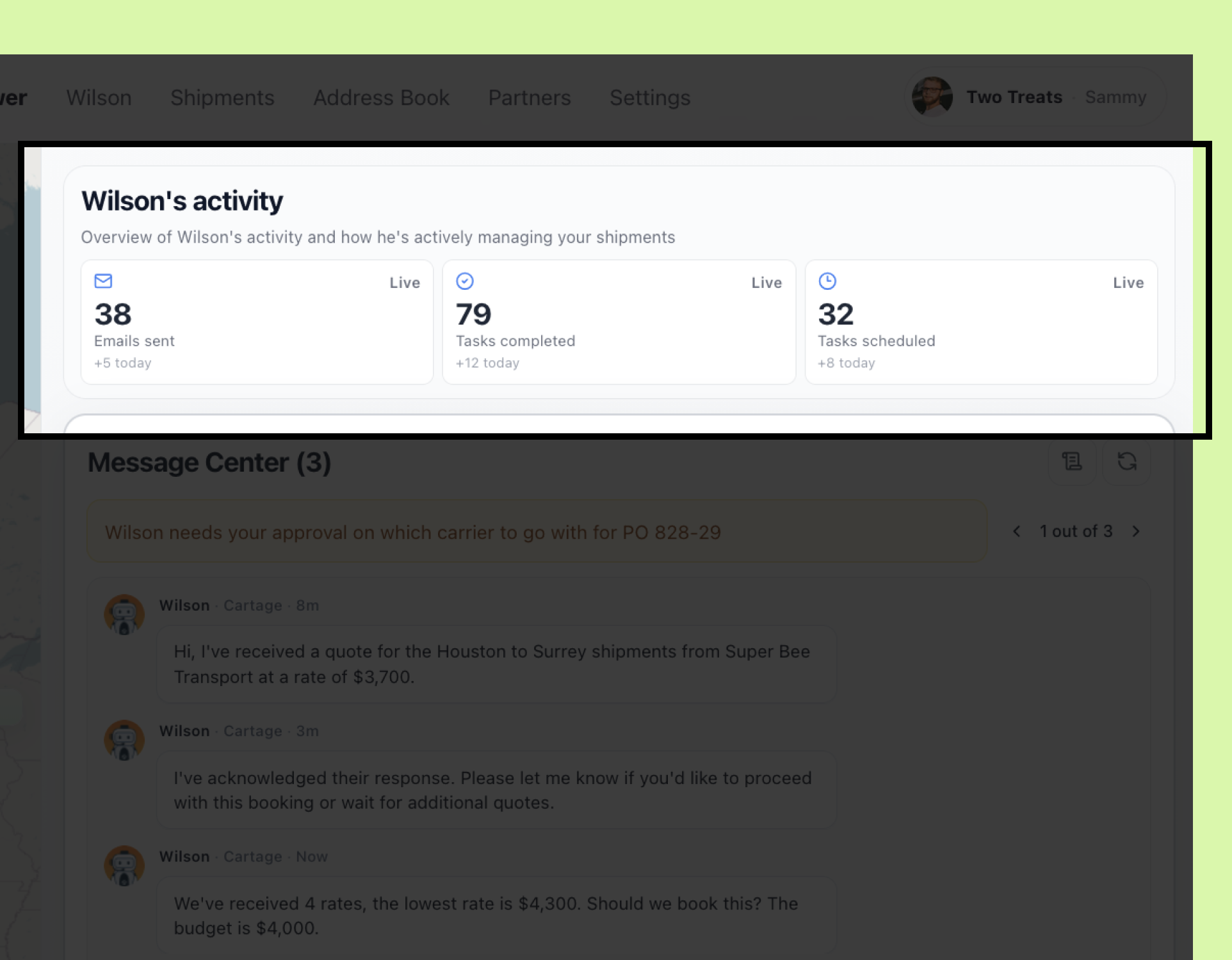
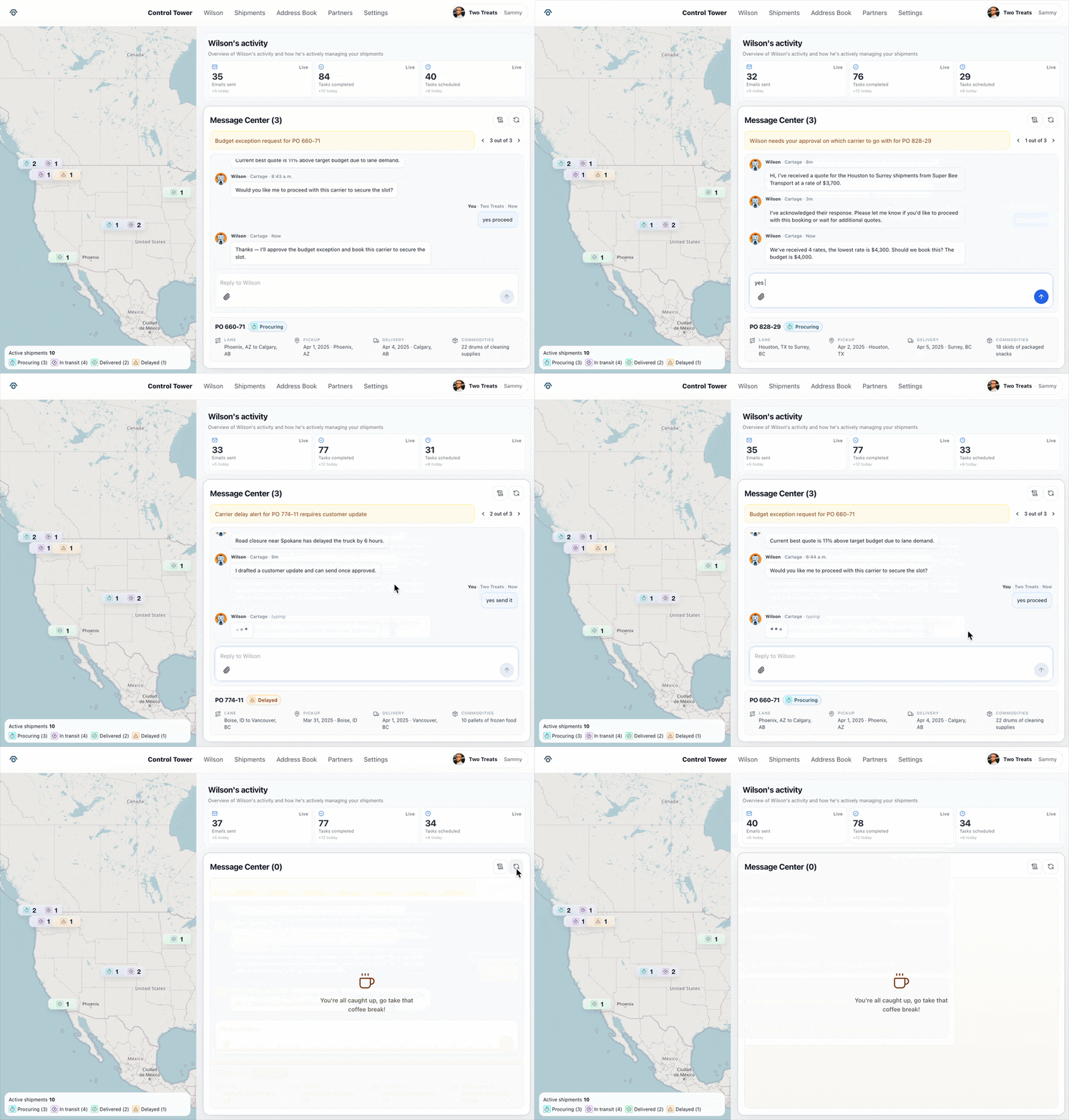
I simplfied the dashboard down to 3 sections, an overview of all active shipments displayed on an interactive map, Wilson's activity cards and a message center for our customers to respond to any issues that requires their attention.
Interactive map
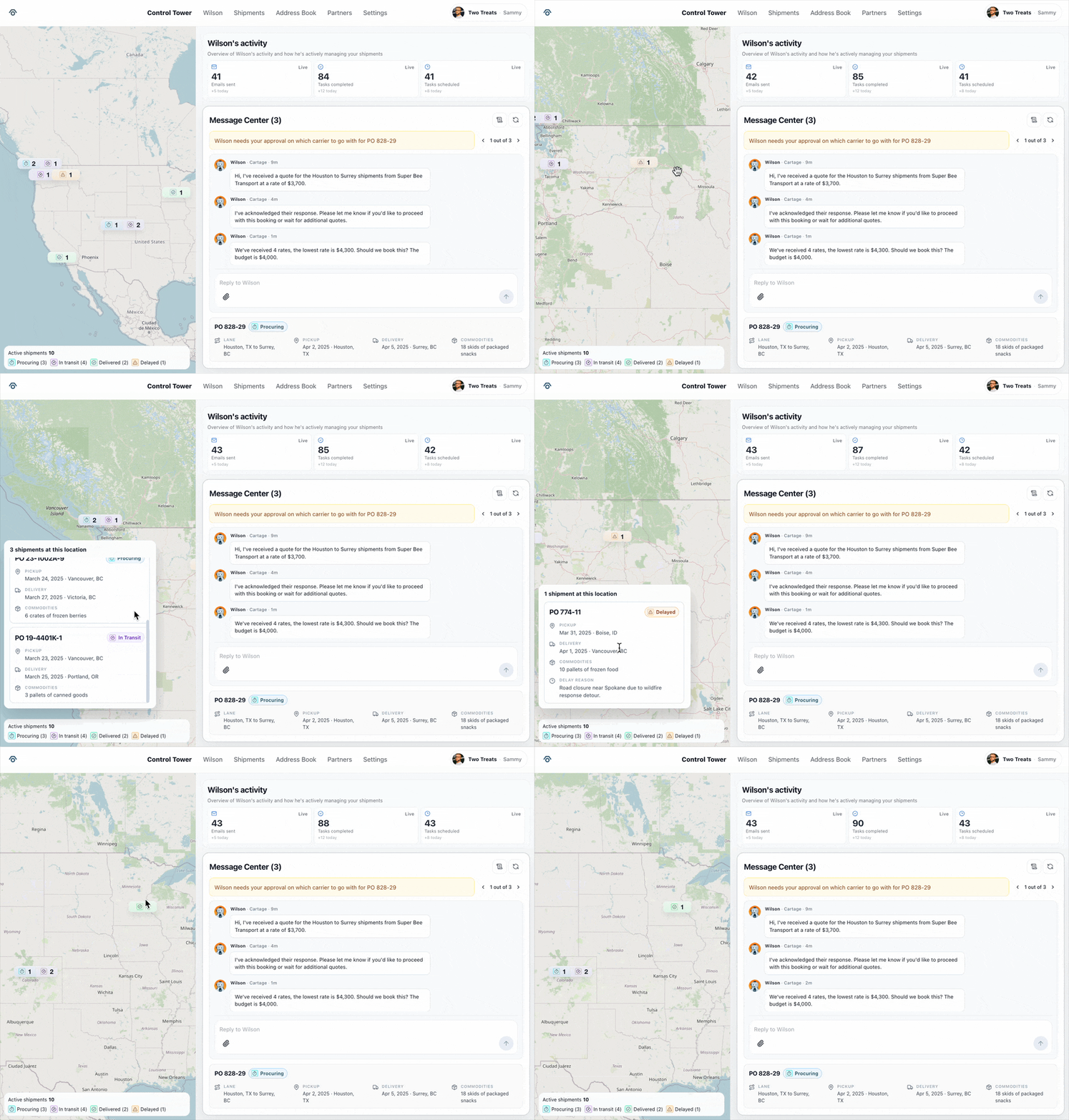
Users can see active shipments and click on each pin to see the details of each shipment and its status.
Wilson's activity cards
Wilson's activity cards are displayed on the dashboard and are updated in real-time.
Message center
If there are issues on a shipment that requires the customer's attention, they can easily see a summary of the issue and reply to Wilson to resolve it.
Measure of success
We want our customers to eventually move away from the Wilson and Shipments module and use the Control Tower module instead so we wanted to capture usage session and time spent on the different modules in our platform.
By capturing this metric, we can figure out if Control Tower is being used more than the other modules and if that's the case, then that means we're on the right track.
Launch & outcomes
This project was put on hold due to other priorities, where our small engineering team of only two and myself were pulled in to work on another project.
I later took my original design and made some changes to it and then used Cursor to help me develop a working version of the dashboard to show how I wanted it to function and work, which is what you see above in the GIFs and the images.
Acknowledgements
Thank you to Harman for helping us recruit people from his network to test our concepts with!